Bluebeam alternative
A Simpler Bluebeam Alternative for Small Contractors
If you mainly need to turn PDF floor plans into takeoffs and estimate drafts, EasyEstimate gives you a focused workflow built for quoting work.
Why it matters
Focused on takeoff-to-estimate, not general PDF markup
Bluebeam is a broad PDF markup platform. EasyEstimate is narrower: upload the plan, build the takeoff map, review quantities, and generate an estimate.
PDF plan analysis
Start with an analyzed takeoff draft instead of manually drawing every measurement.
Editable map objects
Rooms, walls, doors, and windows become objects you can review and correct.
Estimate generation
Move from approved quantities into estimate line items without exporting between tools.
Built for small teams
Keep the workflow approachable for owner-operators and small contracting teams.
Workflow
A reviewed takeoff before a customer quote.
The goal is not to blindly trust the first draft. The goal is to get to the review step faster.
Upload the PDF
Start from the floor plan file already attached to the bid request.
Analyze the page
Create an editable takeoff draft with rooms, walls, doors, and windows.
Check the measurements
Set scale, review boundaries, and fix anything the plan requires.
Generate the estimate
Convert approved quantities into editable estimate line items.
Product demo
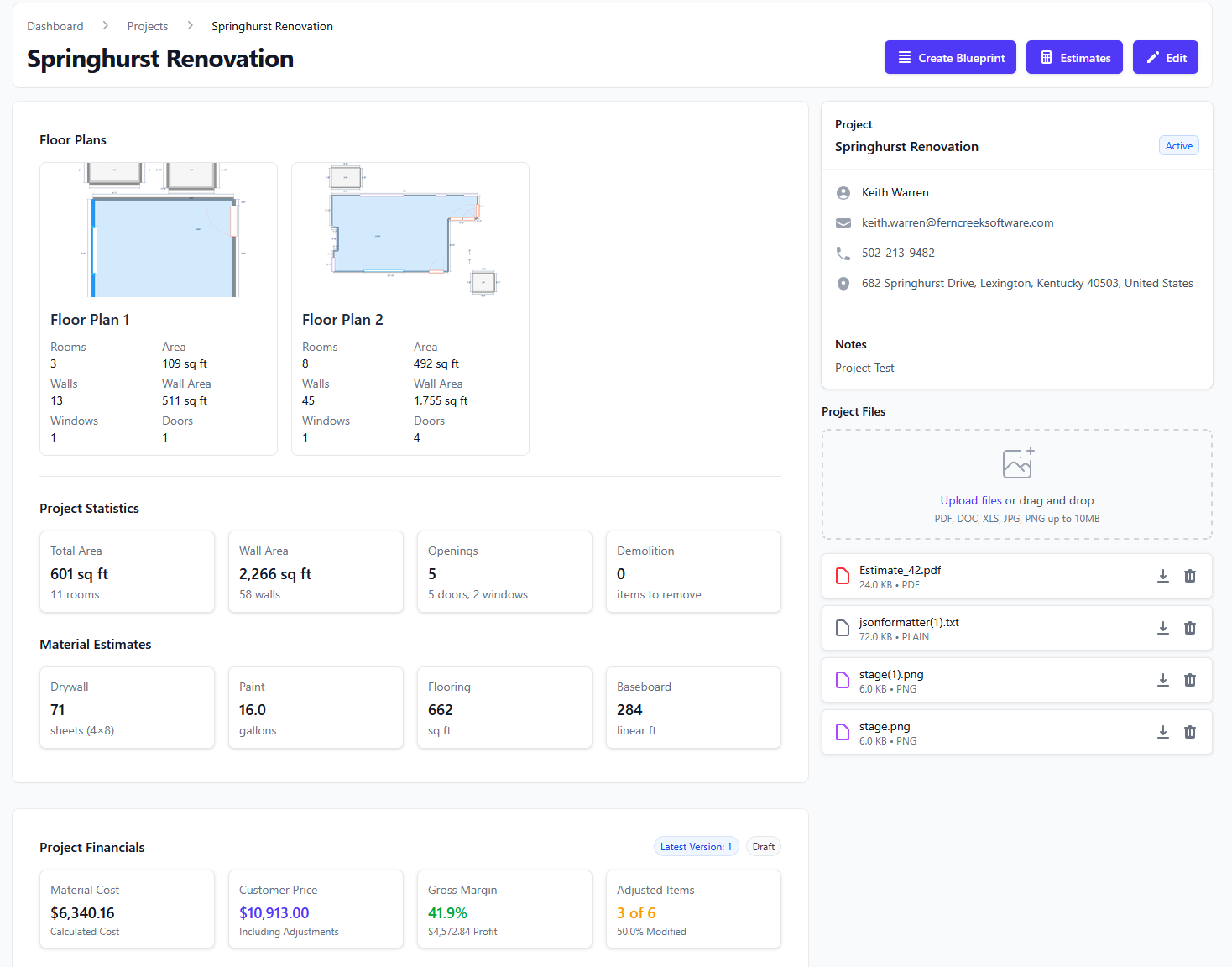
See a PDF floor plan become an estimate
Upload the plan, analyze the page, review the editable map, then generate an estimate.
Room areas
Square feet
Use reviewed room measurements as the base quantity for the quote.
Wall lengths and perimeters
Linear feet
Support trim, baseboard, wall finish, and other perimeter-based scope.
Doors and windows
Counts
Keep openings visible while reviewing deductions, trim, and finish details.
Estimate items
Editable line items
Adjust labor, material, and notes before the customer sees the proposal.
Start with a real plan
Create an account and test the PDF workflow.
Create an account, upload a plan, and see whether the takeoff-to-estimate workflow fits the jobs you quote.
- PDF floor plan analysis and editable takeoff maps.
- Projects, estimate drafts, and PDF proposal export.
- LiDAR room scanning on supported iPhone and iPad devices.
Questions
What contractors ask before testing it.
- Does EasyEstimate replace estimator review for Bluebeam alternatives?
- No. EasyEstimate is designed to create a faster takeoff draft and estimate starting point. You should review measurements, scope, and pricing before sending a proposal.
- Can I edit the takeoff after the PDF is analyzed?
- Yes. The workflow is built around review and correction. You can adjust boundaries, rooms, scale, and estimate line items.
- Does this work only on iPhone?
- No. PDF takeoff and estimating work in the web app. Supported iPhones and iPads add LiDAR room scanning when you are on site.
- Do I need a credit card to create an account?
- No. The current signup flow lets you create an account and start testing the workflow without adding a credit card.
More workflows